

First of all, we are sorry for the inconvenience. This is usually caused by rule being triggered false-positively during the page editing process. And can be solved by disabling the rule that was false positively triggered on the domain or by allow listing the IP. The best we can recommend is to contact your hosting provider to disable the rule or they can add the IP address to the Allow list.
If your IP address gets blocked by BitNinja you can see this CAPTCHA page.
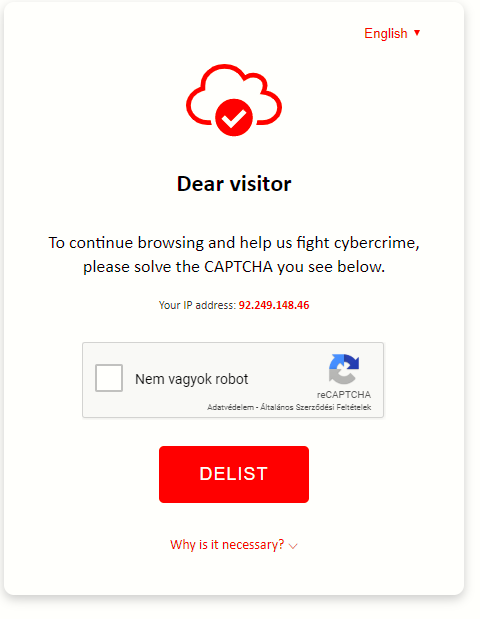
It has three purposes:
- Lets you know what blocked your IP address
- You can see the IP address that has been blocked
- By solving the CAPTCHA you can delist your IP address.
You can delist your IP address by clicking in the “I am not a robot“ box and then click on delist under that. Solving picture selection challenges might be necessary.
- Check if the server is infected, run a malware scan
- There might be a software setting that might be caused the issue
Check whether multiple connections are established simultaneously by
a software
Is there any crawler or bot using this IP address? - Your account might be hacked so please change your password