

If you have enabled the WAF 2.0 module after the pre-requirements are met, you can test whether WAF 2.0 module is running okay.
Check whether the WAF module can be triggered on one of the domains#
The easiest way to test whether the BitNinja WAF 2.0 module is working okay is, to add /?test=/etc/passwd after one of the domains' URL in the browser. The WAF module should stop the request as it is a local file inclusion attempt.
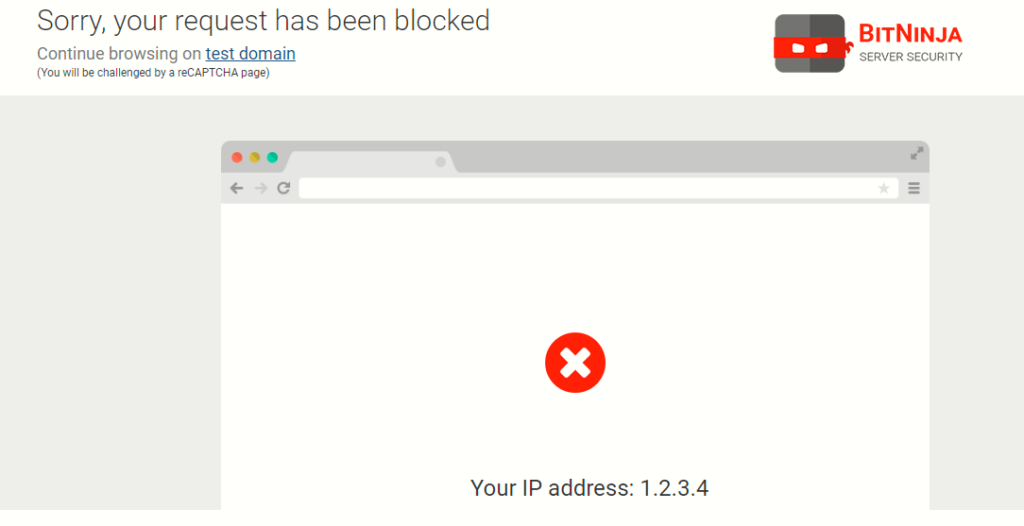
Check if the redirections are established#
The WAF module is a reverse proxy so there are redirections for every HTTP and HTTPS request, they will go through the WAF module and the WAF module will check these requests.
You can check if the redirections are working with the command below:
bitninjacli --module=WAFManager --statusThe BitNinjaCLI command will also let you know if the redirection is made in dnat or transparent mode. It will also show some error messages to help with troubleshooting the issue.
Use the command below, to check if the redirections and required processes have started.
netstat -lntp | grep -E '60300|60301' ; iptables -S -t nat | grep -E 'BN_WAF_REDIR'Check whether WAF HAProxy module is working on HTTPS#
The HAProxy module is required for the WAF module to work on HTTPS as it is required to collect the SSL certs of the domains and process the requests on HTTPS.
You can check if the HAProxy module is working fine like this:
Check if the services are running: ps aux|grep haproxy
Check if the process is present: netstat -lntp |grep bitninja-ss
Check what is the issue with the module with a config test:
service bitninja-sslt configtest